Appearance
Subscription Management
Complete guide to managing your DeskFlow Pro subscription, billing, and plan changes.
Overview
DeskFlow Pro operates on a subscription-based model with different tiers to match your dealership's needs. Subscription management allows you to view plan details, update billing information, and upgrade or downgrade your service level.
Manager Access Required
Only users with Manager role can access subscription and billing information.
Subscription Dashboard
In-App Subscription View
Access your subscription details directly within the DeskFlow Pro application.
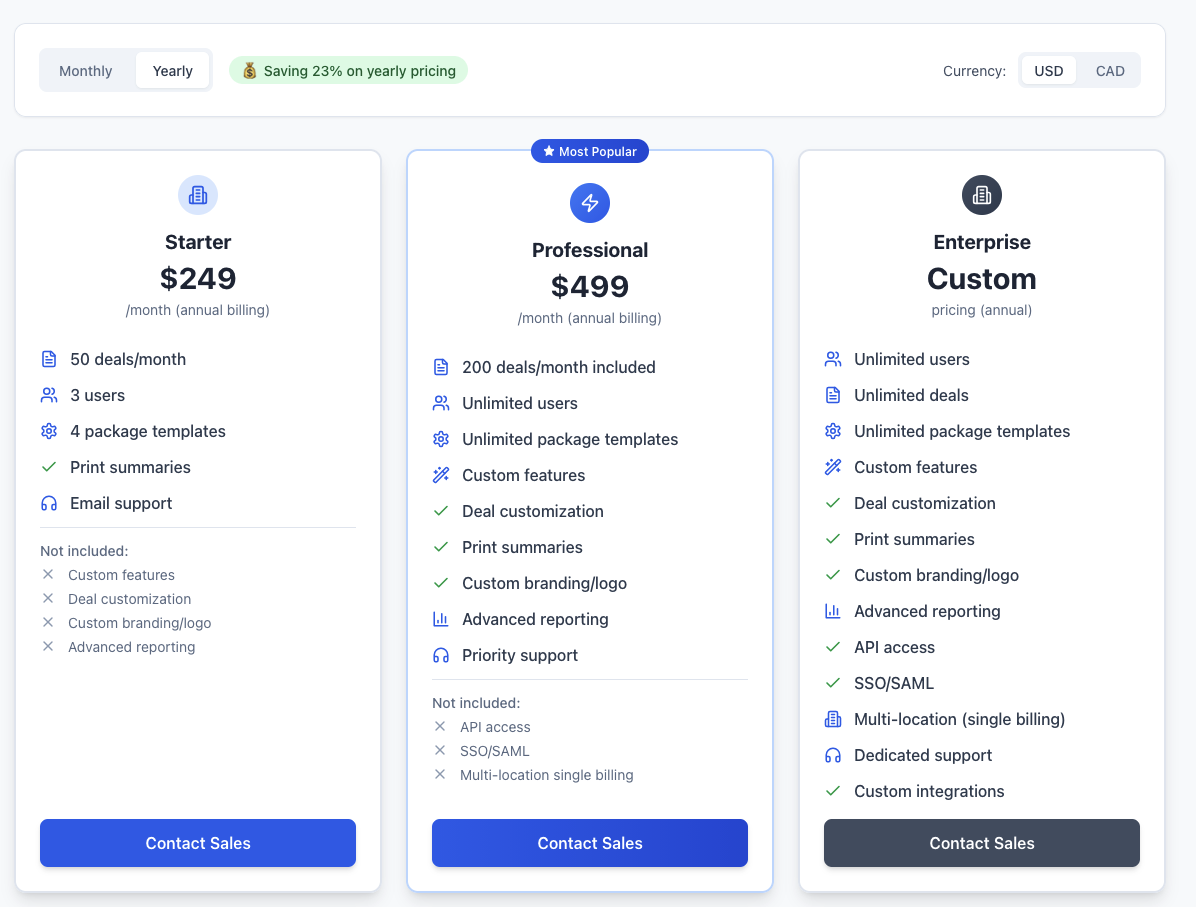
The in-app subscription dashboard displays:
- Current Plan - Your active subscription tier (Trial, Starter, Professional, Enterprise)
- Billing Period - Monthly or annual billing cycle
- Next Billing Date - When your next payment is due
- Plan Features - What's included in your current subscription
- Usage Summary - Current usage against plan limits
- Quick Actions - Upgrade, downgrade, or manage billing options
Web Portal Access
For comprehensive billing management, access the full subscription portal.

The web portal provides:
- Detailed Billing History - Complete transaction records
- Invoice Downloads - PDF invoices for accounting purposes
- Payment Method Management - Update credit cards and payment information
- Plan Comparison - Side-by-side feature and pricing comparison
- Advanced Settings - Billing contacts, tax information, and preferences
Subscription Plans
Trial
- Duration: 14 days
- Features: Full access to all features with usage limits
- AI Limits: Limited vehicle image generations and talking points
- Support: Standard support access
- Team Size: Unlimited team members
Starter
- Billing: Monthly subscription
- Features: Complete F&I presentation platform
- AI Limits: Enhanced generation limits for growing dealerships
- Support: Priority support access
- Team Size: Unlimited team members
- Reporting: Full insights and analytics
Professional
- Billing: Monthly subscription
- Features: All Starter features plus advanced capabilities
- AI Limits: Higher generation limits for busy dealerships
- Support: Priority support with faster response times
- Integrations: Advanced third-party integrations
- Customization: Enhanced branding and customization options
Enterprise
- Billing: Monthly subscription with volume discounts
- Features: All Professional features plus enterprise-grade capabilities
- AI Limits: Maximum generation limits for high-volume operations
- Support: Dedicated account management and premium support
- Custom Integrations: API access and custom development
- Training: Personalized training and onboarding
Managing Your Subscription
Upgrading Your Plan
To upgrade to a higher-tier plan:
- Access Subscription Settings from the main navigation
- Compare Plans to understand feature differences
- Select New Plan that meets your needs
- Confirm Billing - Prorated charges apply immediately
- Enjoy Enhanced Features - New capabilities activate instantly
Downgrading Your Plan
To downgrade to a lower-tier plan:
- Review Current Usage - Ensure new plan meets your needs
- Select Lower Tier from available options
- Confirm Changes - Takes effect at next billing cycle
- Data Retention - All data remains accessible
- Feature Limitations - Some advanced features may become unavailable
Downgrade Considerations
When downgrading, ensure your current usage (team size, AI generations, etc.) fits within the new plan's limits. Overage charges may apply if limits are exceeded.
Billing Information
Payment Methods
- Credit Cards - Visa, MasterCard, American Express, Discover
- Corporate Cards - Business credit cards and procurement cards
- Bank Transfer - ACH payments for Enterprise plans
- Purchase Orders - Available for Enterprise customers
Billing Contacts
- Primary Contact - Main billing and invoice recipient
- Secondary Contacts - Additional recipients for billing notifications
- Accounting Team - Separate contacts for financial department
- Tax Information - VAT numbers, tax exemption certificates
Invoice Management
- Automatic Invoicing - Invoices generated on billing date
- Email Delivery - Sent to designated billing contacts
- PDF Downloads - Available immediately after generation
- Payment Tracking - Real-time payment status updates
- Receipt Generation - Automatic receipt creation for successful payments
Trial Management
Trial Period
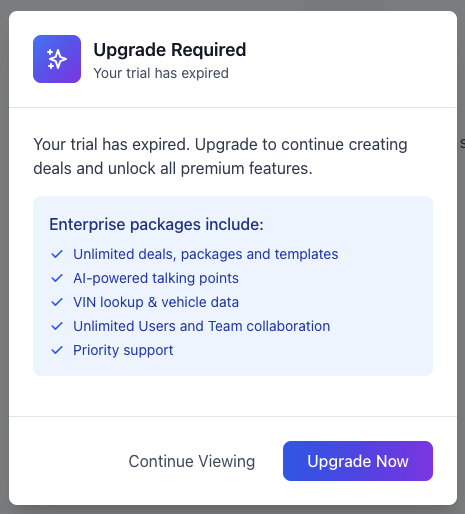
During your 14-day trial period:
- Full Feature Access - Complete platform functionality
- Usage Monitoring - Track consumption against trial limits
- Upgrade Prompts - Notifications as trial expiration approaches
- Data Preservation - All data saved for conversion to paid plan
Trial Expiration
When your trial ends:
- Account Suspension - Access temporarily restricted
- Data Retention - All data preserved for 30 days
- Upgrade Options - Choose from available paid plans
- Reactivation - Immediate access upon subscription activation
Converting from Trial
- Select Plan - Choose the tier that fits your needs
- Enter Billing Information - Provide payment method details
- Confirm Subscription - Review and activate your plan
- Immediate Access - Full functionality restored instantly
- Billing Starts - First payment processed according to billing cycle
Usage Monitoring
AI Feature Usage
Track your consumption of AI-powered features:
- Vehicle Image Generations - First generations and retries used
- Feature Icon Creation - Custom icons generated
- Sales Talking Points - AI-generated content created
- Monthly Reset - Usage limits reset each billing cycle
Plan Limits
Monitor usage against your plan's included limits:
- Current Usage - Real-time consumption tracking
- Remaining Allocation - Available capacity in current billing period
- Usage Trends - Historical consumption patterns
- Overage Alerts - Notifications when approaching limits
Usage Optimization
- Monitor Regularly - Check usage weekly to avoid surprises
- Plan Appropriately - Upgrade before consistently hitting limits
- Efficient Usage - Follow Fair Usage Policy guidelines
- Team Training - Educate team on optimal feature usage
Account Administration
Subscription Changes
- Plan Changes - Upgrade or downgrade as needed
- Billing Frequency - Switch between monthly and annual billing
- Feature Add-ons - Purchase additional capabilities
- User Management - Add or remove team members
Billing Administration
- Payment Updates - Change credit cards or payment methods
- Billing Addresses - Update company and billing information
- Tax Settings - Manage tax exemptions and VAT information
- Contact Management - Update billing and administrative contacts
Account Security
- Access Controls - Limit who can modify subscription settings
- Audit Logging - Track all subscription and billing changes
- Notification Settings - Configure alerts for important account events
- Data Protection - Secure handling of billing and payment information
Support and Resources
Getting Help
- Billing Support - Dedicated team for subscription questions
- Technical Support - Platform assistance and troubleshooting
- Account Management - Enterprise customers receive dedicated support
- Documentation - Comprehensive guides and resources
Self-Service Options
- FAQ Section - Common billing and subscription questions
- Video Tutorials - Step-by-step guidance for common tasks
- Knowledge Base - Detailed articles and troubleshooting guides
- Community Forum - Connect with other DeskFlow Pro users
Best Practices
Subscription Management
- Regular Review - Quarterly assessment of plan suitability
- Usage Monitoring - Weekly check of consumption patterns
- Team Planning - Anticipate growth and plan upgrades accordingly
- Budget Management - Include subscription costs in dealership budgets
Cost Optimization
- Right-size Plans - Choose plans that match actual usage
- Annual Billing - Consider annual plans for cost savings
- Feature Utilization - Maximize value from included features
- Team Efficiency - Train team to use features effectively
Account Security
- Limited Access - Restrict subscription management to authorized personnel
- Regular Audits - Review billing and usage reports regularly
- Update Information - Keep contact and billing information current
- Monitor Changes - Track all account modifications and approvals
For detailed information about plan features and pricing, visit our Fair Usage Policy or contact our sales team for custom Enterprise solutions.