Appearance
Getting Started
Welcome to DeskFlow Pro! This guide will help you get up and running in minutes.
Sign In
If you already have an account or have been invited by your dealership, visit app.deskflow.pro to sign in.
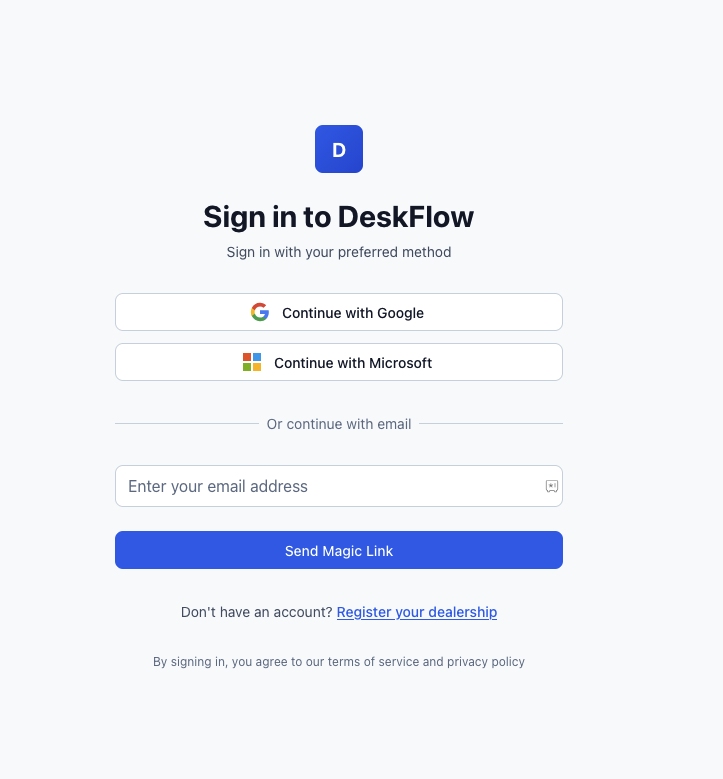
You have three options to sign in:
- Google — Click "Continue with Google" to sign in with your Google account
- Microsoft — Click "Continue with Microsoft" to sign in with your Microsoft/Outlook account
- Magic Link — Enter your email address and click "Send Magic Link". Check your inbox for a secure login link (no password needed!)
Magic Links
Magic links expire after 10 minutes. Check your spam folder if you don't see the email within a minute.
Register Your Dealership
New to DeskFlow Pro? Register your dealership to get started with a free trial.
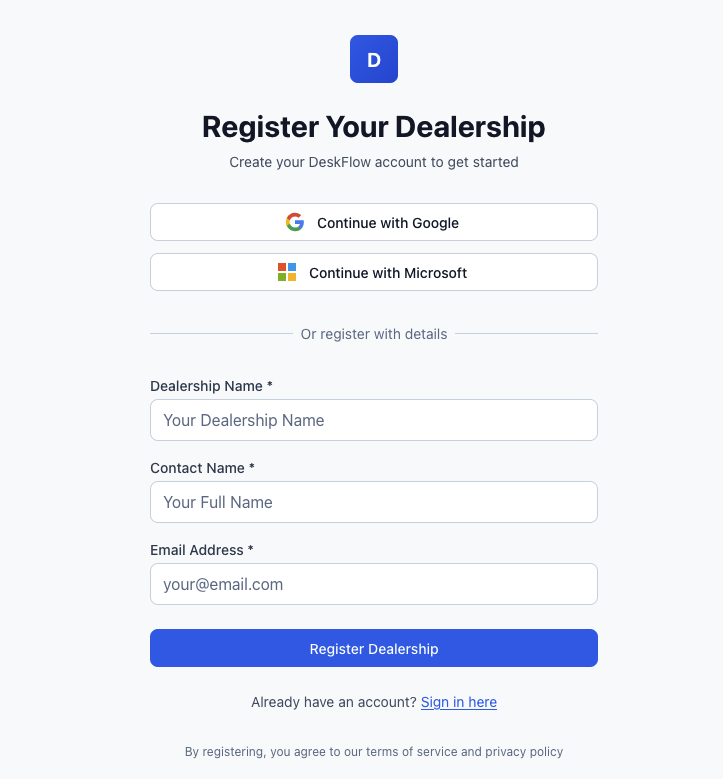
Quick Registration
Click Continue with Google or Continue with Microsoft to register instantly using your existing account. We'll create your dealership automatically.
Manual Registration
- Enter your Dealership Name (e.g., "Trinity Motors")
- Enter your Contact Name (your full name)
- Enter your Email Address
- Click Register Dealership
You'll receive a confirmation email to verify your account.
What's Next?
After signing in, you'll land on your Dashboard. From here you can:
Trial Period
Your free trial includes full access to all features for 14 days. No credit card required.