Appearance
Packages & Features
Learn how to create and manage warranty packages and features in DeskFlow Pro to customize your F&I presentations.
Package Management Overview
Access package management from the main navigation to set up your warranty offerings.
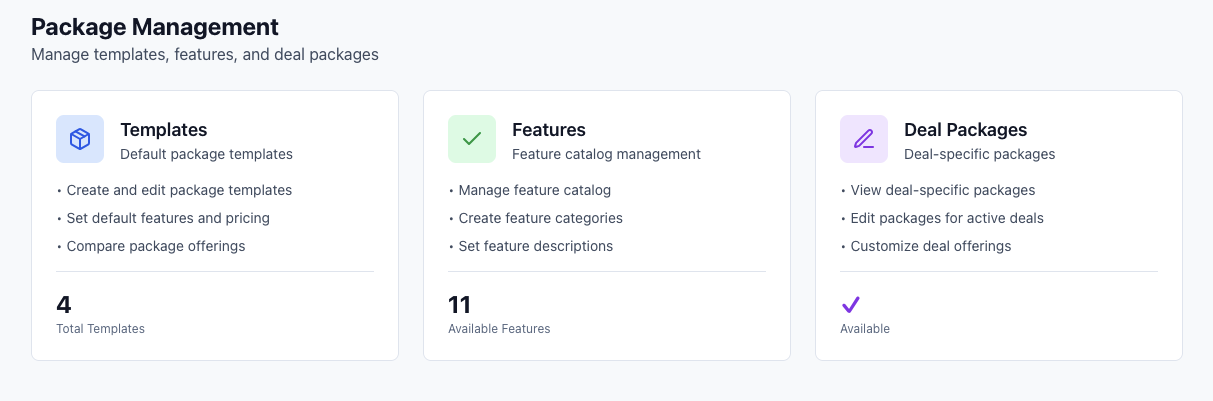
The package management section provides tools for:
- Feature Management - Create and organize individual warranty features
- Package Templates - Build complete warranty packages from features
- Categories - Organize features into logical groups
Feature Management
Create and configure individual warranty features that will be included in packages.
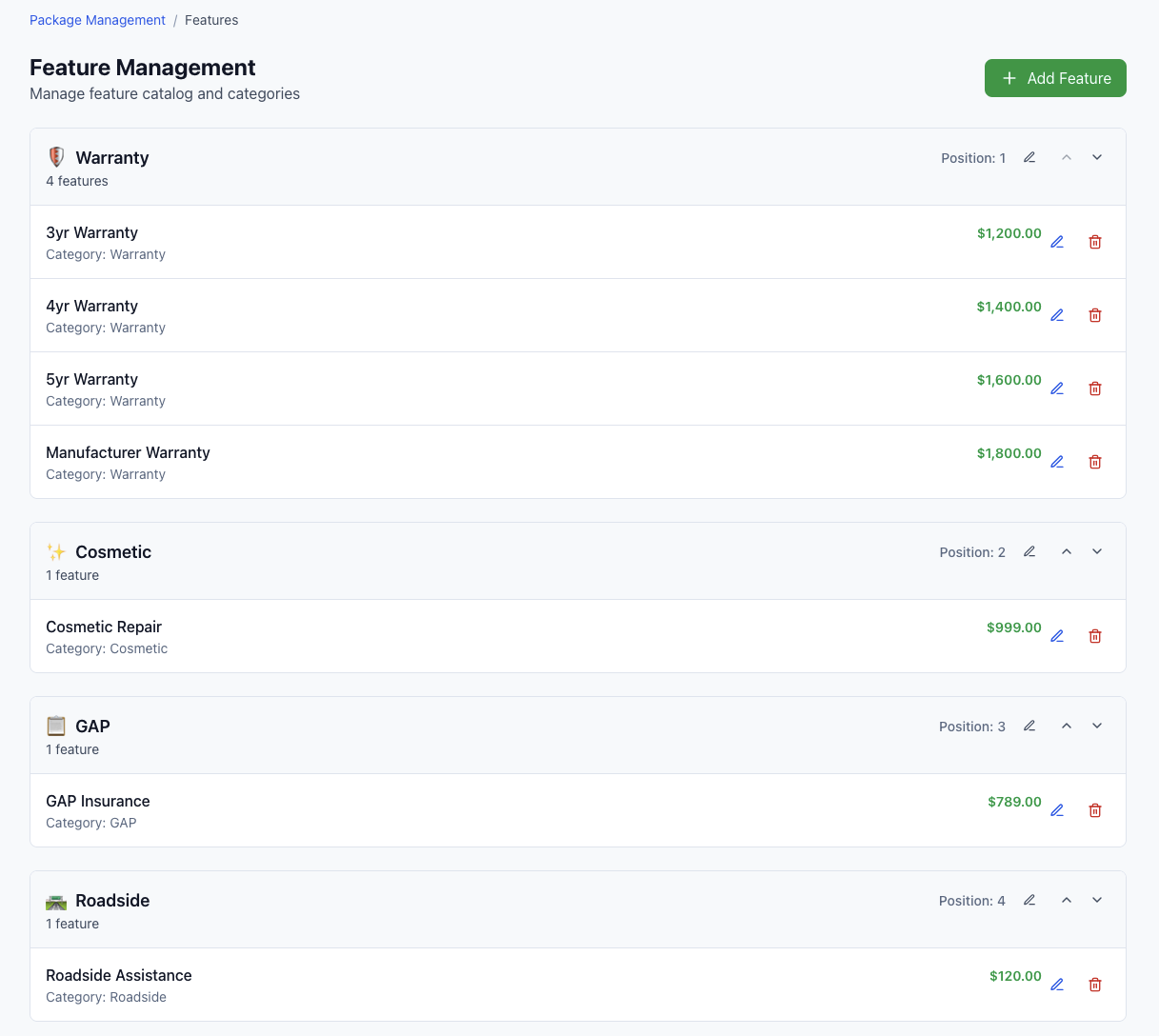
In feature management, you can:
Creating Features
- Add new features with descriptive names
- Set pricing for each feature (total price, not monthly)
- Assign categories to organize related features
- Choose icons for visual representation
- Write descriptions explaining the feature benefits
- Set display order to control how features appear in packages
Feature Organization
- Categories group related features (e.g., "Engine Protection", "Interior Care")
- Display order determines sequence in customer presentations
- Pricing sets the total cost added to the package
TIP
Create clear, customer-friendly feature names and descriptions. These will be shown directly to customers during presentations.
Category Management
Organize features into logical categories for better presentation structure.
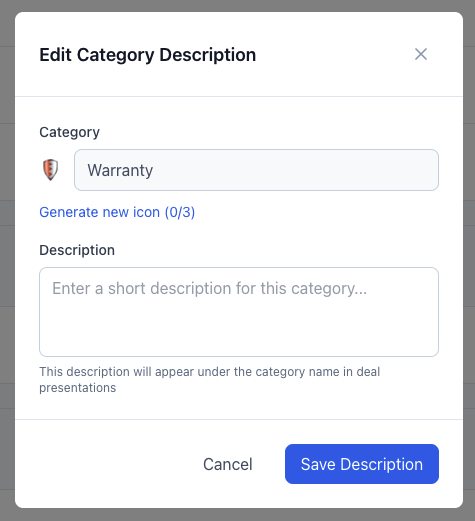
Category management allows you to:
- Edit category names for clear organization
- Set category descriptions to explain the group of features
- Choose category icons for visual consistency
- Organize the overall structure of your warranty offerings
Categories help customers understand related features and make the presentation flow more logically.
Feature Editing
Modify existing features to update pricing, descriptions, or organization.
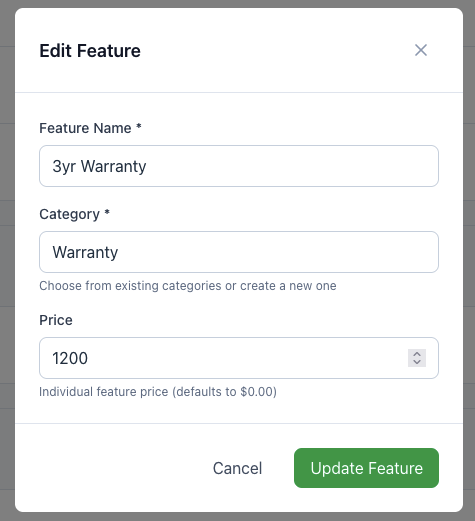
When editing features, you can update:
- Feature name - The customer-facing title
- Category assignment - Move features between categories
- Pricing - Adjust the total cost for the feature
- Description and details - Modify customer-facing information
Package Templates
Create complete warranty packages by combining multiple features.

Package template management includes:
Template Overview
- View all packages available for deals
- Activate/deactivate packages as needed
- Preview packages to see customer view
- Edit composition to modify included features
Template Status
- Active packages appear in customer presentations
- Inactive packages are hidden but preserved
- Preview mode shows exactly what customers will see
Package Composition
Click Edit on any template to modify which features are included and customize the package for your market.
Deal-Specific Package Editing
Customize packages for individual deals without affecting the master template.
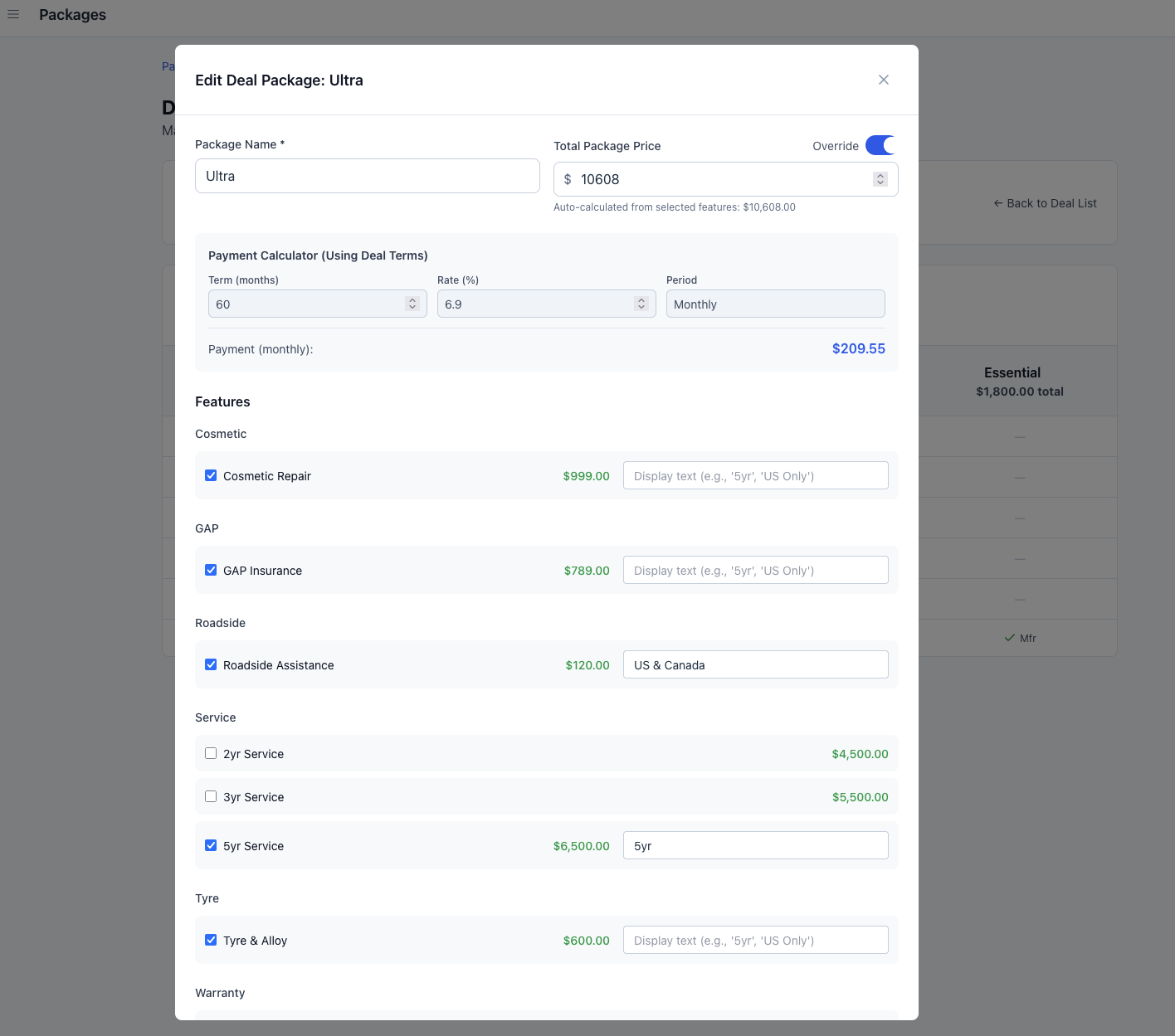
When editing packages within a deal:
- Add or remove features specific to this customer
- Adjust pricing for special circumstances
- Customize descriptions for this particular sale
- Changes only apply to this deal - templates remain unchanged
INFO
Deal-specific edits allow you to customize offerings without changing your standard templates. This is useful for special pricing or unique customer needs.
Package Setup Best Practices
Feature Strategy
- Start with core features that apply to most customers
- Create feature tiers (basic, premium, comprehensive)
- Price competitively based on your market research
- Use clear descriptions that highlight customer benefits
Template Design
- Offer 3-4 packages to give customers choice without overwhelming
- Create clear value differences between package levels
- Include popular features in mid-tier packages
- Reserve premium features for top-tier packages
Pricing Structure
- Research competitor pricing for similar coverage
- Consider customer payment preferences (total vs. monthly)
- Build in appropriate margins for profitability
- Test pricing with customers and adjust based on acceptance rates
Organization Tips
- Use descriptive category names (e.g., "Powertrain Protection", "Appearance Care")
- Order features logically from most to least important
- Keep descriptions concise but informative
- Update regularly based on customer feedback and market changes
Next Steps
With packages and features configured:
- Present deals to customers with your custom packages
- Monitor package performance through analytics
- Adjust pricing and features based on acceptance rates
- Train your team on package benefits and selling points
Well-structured packages and features are the foundation of successful F&I presentations in DeskFlow Pro.